Aura Sync: Complete Guide to ASUS RGB Lighting Ecosystem
Introduction to Aura Sync
When we talk about modern gaming PCs, performance is not the only focus anymore. Looks and personalization have become just as important. This is where Aura Sync comes in.
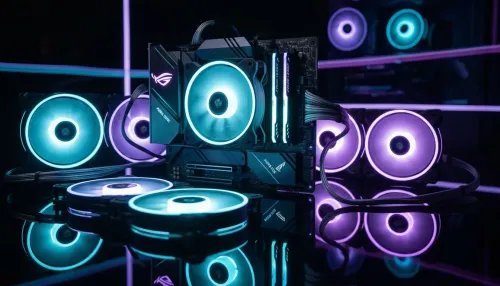
Aura Sync is basically a smart lighting system that connects all RGB-enabled components inside a PC and makes them behave like one unified lighting setup. Instead of each device lighting up randomly or independently, everything can be synchronized.
We can think of it like giving our PC a personality. The lights move together, change together, and react together based on what we are doing—whether we are gaming, working, or just relaxing.
Developed by ASUS, Aura Sync is designed to simplify RGB control while still giving users deep customization options.
How Aura Sync Works
At its core, Aura Sync works through software control combined with hardware-level RGB support.
Here’s the simple idea:
- Each compatible component has built-in RGB lighting hardware
- The software detects all connected devices
- Lighting signals are sent from one central controller
- All devices follow the same lighting pattern or customized zones
Everything is managed through Armoury Crate, which acts as the control hub.
Instead of configuring each device separately, we adjust everything from one place. That’s what makes Aura Sync so convenient for PC users.
It supports different synchronization modes such as:
- Static color mode
- Breathing effects
- Color cycle
- Reactive lighting
- Music or sound-based lighting (on supported devices)
- Game-linked effects
Compatible Devices and Ecosystem
One of the strongest parts of Aura Sync is its wide compatibility within the ASUS ecosystem and beyond.
1. Motherboards
Most modern ASUS motherboards come with Aura Sync support built-in. These act as the main control hub.
2. Graphics Cards
ASUS GPUs often include RGB lighting zones that can be synchronized with the rest of the system.
3. RAM Modules
Many memory brands support Aura Sync so lighting on RAM sticks can match the rest of the build.
4. PC Cases
Case fans, LED strips, and front panel lighting can all be connected.
5. Peripherals
Keyboards, mice, headsets, and mousepads from supported brands can also sync lighting.
The idea is simple: if it has RGB and supports Aura Sync, it becomes part of one visual system.
Armoury Crate: The Control Center
All Aura Sync controls are handled through Armoury Crate.
Armoury Crate is more than just lighting software. It also helps manage:
- Hardware monitoring
- Fan speeds
- System performance modes
- Driver updates
- Device configuration
For RGB specifically, it provides a visual interface where we can:
- Pick colors from a palette
- Apply preset effects
- Customize zones
- Sync or separate devices
- Save lighting profiles
We can switch between gaming mode lighting and work mode lighting instantly, which makes it very flexible.
Lighting Effects in Aura Sync
Aura Sync offers a wide variety of lighting effects that can match different moods and setups.
Static Lighting
A single color stays constant across all devices. Simple but clean.
Breathing Effect
Lights slowly fade in and out, creating a smooth breathing pattern.
Color Cycle
Colors transition continuously across the spectrum.
Rainbow Effect
A full RGB wave flows across devices.
Reactive Effects
Lighting responds to keyboard input or system activity.
Game Sync Effects
Certain supported games can trigger lighting changes based on in-game events.
This is one of the most exciting features because it makes the setup feel alive and interactive.
Customization Features
Aura Sync is not just about turning lights on and off. It is about full customization.
We can:
- Assign different colors to different zones
- Control brightness levels
- Set timing for transitions
- Create custom profiles for different scenarios
- Sync or unsync specific devices
For example:
- A gaming profile might use red and aggressive flashing effects
- A working profile might use soft blue lighting
- A relaxing profile might use slow breathing warm tones
Everything is saved inside the Armoury Crate so switching is easy.
Aura Sync in Gaming Experience
One of the most popular uses of Aura Sync is gaming immersion.
When playing supported games, lighting can:
- Change based on health levels
- React to explosions or actions
- Match the game’s theme colors
- Flash during critical moments
This adds a layer of immersion that goes beyond the screen. It makes the whole room feel like part of the game.
For streamers, it also adds visual appeal. A synchronized RGB setup looks more professional on camera and helps build a personal brand identity.
Productivity and Everyday Use
Aura Sync is not just for gaming. We can also use it for everyday productivity.
Some practical uses include:
- Soft white lighting for studying or reading
- Blue tones for focus and calm work sessions
- Notification-based lighting changes
- Time-based lighting schedules (day vs night modes)
It helps reduce eye strain and creates a more comfortable environment depending on the task.
Advantages of Aura Sync
Aura Sync has become popular for several strong reasons:
Easy Control
Everything is managed from one software instead of multiple apps.
Wide Compatibility
Supports many devices across the PC ecosystem.
High Customization
We can fully design our lighting setup.
Game Integration
Makes gaming more immersive.
Aesthetic Appeal
Helps build visually impressive setups.
Profile Switching
Instant switching between different lighting styles.
Limitations of Aura Sync
Even though Aura Sync is powerful, it does have some limitations:
Hardware Dependency
Only works with compatible RGB devices.
Software Complexity
Armoury Crate can feel heavy for some users.
Brand Compatibility
Not all third-party RGB products support it.
Occasional Sync Issues
Sometimes devices may not sync perfectly and require troubleshooting.
Despite these issues, it remains one of the most widely used RGB systems.
How to Set Up Aura Sync
Setting up Aura Sync is fairly simple if we follow the steps:
Step 1: Install Armoury Crate
Download and install Armoury Crate from the official ASUS support page.
Step 2: Connect RGB Devices
Make sure all compatible components are properly installed and powered.
Step 3: Open Aura Sync Section
Inside the software, go to the Aura Sync tab.
Step 4: Detect Devices
The system will automatically detect compatible hardware.
Step 5: Choose Effects
Select from static, breathing, rainbow, or custom effects.
Step 6: Apply and Save Profile
Save your setup so you can switch later easily.
That’s it—your system is now fully synchronized.
Troubleshooting Common Issues
Sometimes Aura Sync may not work perfectly. Here are common fixes:
Device Not Detected
- Check cable connections
- Update Armoury Crate
- Restart system
Lights Not Syncing
- Disable conflicting RGB software
- Re-enable Aura Sync settings
Software Lag
- Update drivers
- Reinstall Armoury Crate
Missing Effects
- Check device compatibility list
- Update firmware of components
Most problems are software-related and can be fixed quickly.
Future of Aura Sync and RGB Ecosystem
The RGB ecosystem is constantly evolving. Aura Sync is expected to grow in areas like:
- Better AI-driven lighting effects
- Deeper game integration
- Cloud-based lighting profiles
- Smarter hardware synchronization
- More third-party compatibility
As PC setups become more personalized, systems like Aura Sync will likely become even more advanced and intuitive.
ASUS continues to expand its ecosystem, so we can expect more unified control across devices in the future.
Conclusion
Aura Sync is more than just RGB lighting software. It is a complete ecosystem that brings life, style, and personality to a PC setup.
With the help of Armoury Crate, we can easily control everything from one place and create setups that match our mood, work style, or gaming environment.
Whether we want a simple clean look or a fully immersive gaming station, Aura Sync gives us the flexibility to build it our way. It combines performance, design, and personalization into one smooth experience that continues to evolve with modern PC technology.
Keep an eye for more latest news & updates on The Teckjb!